Lowp tae content

For emergencies, call +44 7537 179434 and press 0.

Casebound screens

Casebound screenshots

Aw the published screens o Casebound. Appen ane for the fou image, its dimensions an a dounload.

Aw Casebound screenshots
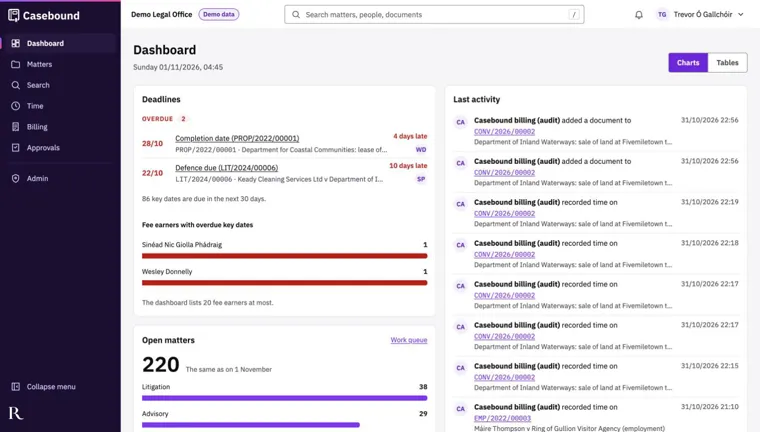
  • The Casebound dashboard of a fee earner, on demonstration data the user can read but not change. Four figures run across the top: 12 key dates overdue on 12 matters, 34 key dates due in the next 7 days, 220 open matters and £152,669.10 of unbilled work, £136,051.90 of it older than 30 days. The Deadlines panel lists the overdue dates first, each with the date, how late it is, the matter and the fee earner, then the dates due in the next 7 days. On the right are the overdue tasks, each with its matter and the person it is assigned to, and the last activity on the user's matters.
    Dashboard Casebound screenshot

    Tabs switch between the user's own work and the team's. The menu on the left leads to matters, clients, tasks, the calendar, email, time, billing, approvals, workload, reports and records.
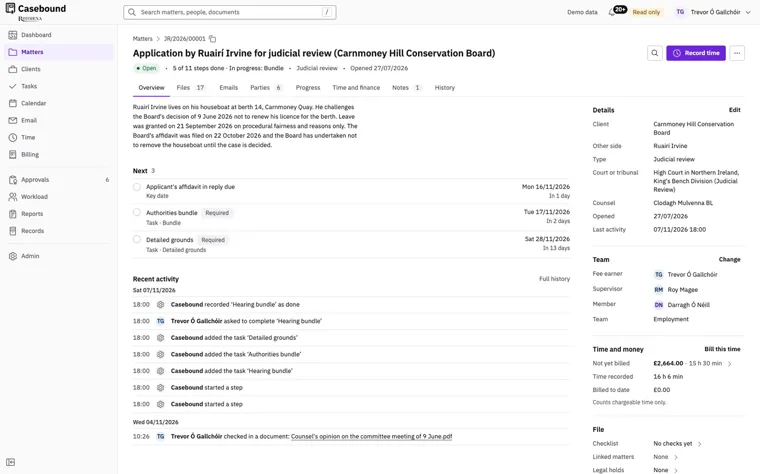
  • A judicial review case file in Casebound, reference JR/2026/00001. It is open, with 5 of its 11 steps done and the bundle in progress. The overview sums up the case in a few lines. Next lists the three things due, an affidavit in reply, an authorities bundle and the detailed grounds, each with its date. Recent activity records each step Casebound took and each document checked in, with the time. The side panel gives the client, the other side, the court, counsel and the team on the matter. Under Time and money are £2,664.00 not yet billed for 15 h 30 min, 16 h 6 min recorded and nothing billed to date.
    Case file Casebound screenshot

    Tabs lead to the matter's files, emails, parties, progress, time and finance, notes and history. The Record time button opens a time entry against this matter.
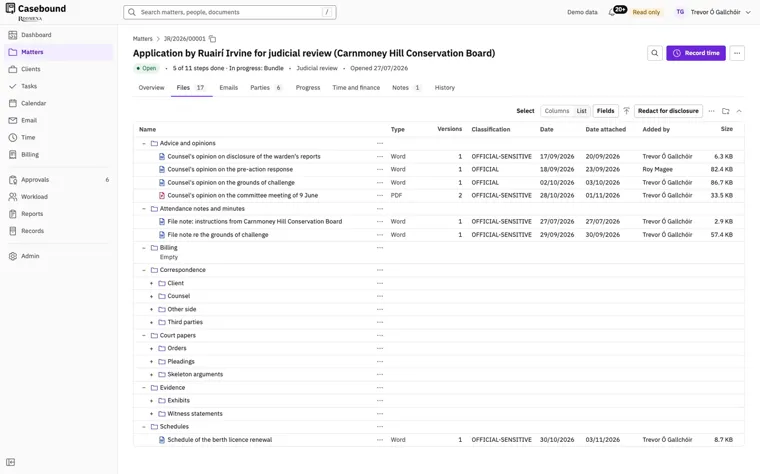
  • The Files tab of the same case file, holding 17 files in folders for advice and opinions, attendance notes and minutes, billing, correspondence, court papers, evidence and schedules. Correspondence is split into the client, counsel, the other side and third parties. Each file shows its type, its number of versions, its security classification (OFFICIAL or OFFICIAL-SENSITIVE), its date, the date it was attached, who added it and its size. Buttons above the list switch between columns and a list, choose the fields shown and redact documents for disclosure.
    Documents on a matter Casebound screenshot

    Counsel's opinion on the committee meeting is a PDF in its second version. The other files open here are Word documents in their first version.
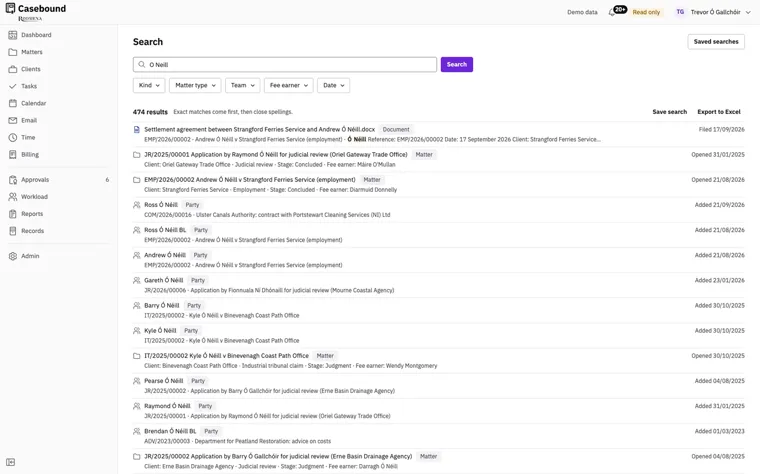
  • Casebound search results for O Neill, 474 of them. Typed without its fada, the name still finds Ó Néill, because close spellings follow the exact matches. Filters narrow the search by kind, matter type, team, fee earner and date. The results mix a settlement agreement, matters and parties. Each gives its reference, the matter it belongs to and the date it was filed, opened or added. Links above the list save the search or export the results to Excel, and the Saved searches button sits at the top right.
    Search Casebound screenshot

    One search covers the matters, parties, documents, emails, notes, time and bills a user is allowed to see.
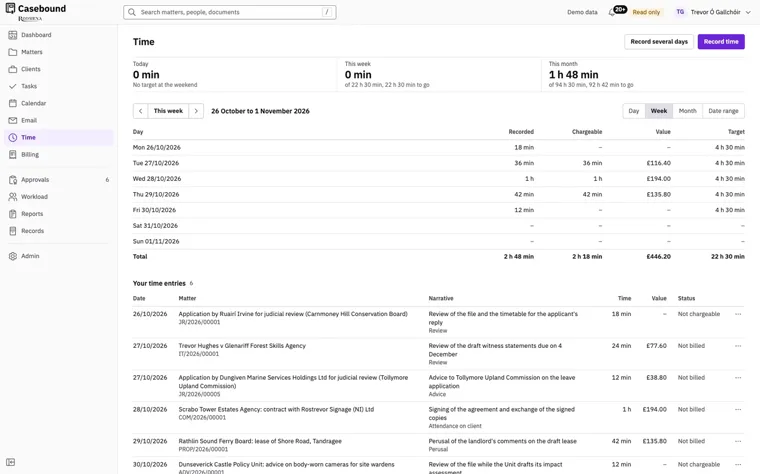
  • The Time page of a fee earner in Casebound, showing the week of 26 October to 1 November 2026. Figures at the top give the time recorded today, this week and this month against the user's targets. A table gives each day's recorded and chargeable time, its value and the daily target of 4 h 30 min, with a total of 2 h 48 min recorded, 2 h 18 min chargeable and a value of £446.20. Below are the user's six time entries for the week, each with its matter, the narrative, the time, the value and whether it is billed or chargeable.
    Time Casebound screenshot

    Record several days enters time for more than one day at once. The view switches between a day, a week, a month and a range of dates.