Casebound screens
Casebound screenshots
All the published screens of Casebound. Open one for the full image, its dimensions and a download.
All Casebound screenshots
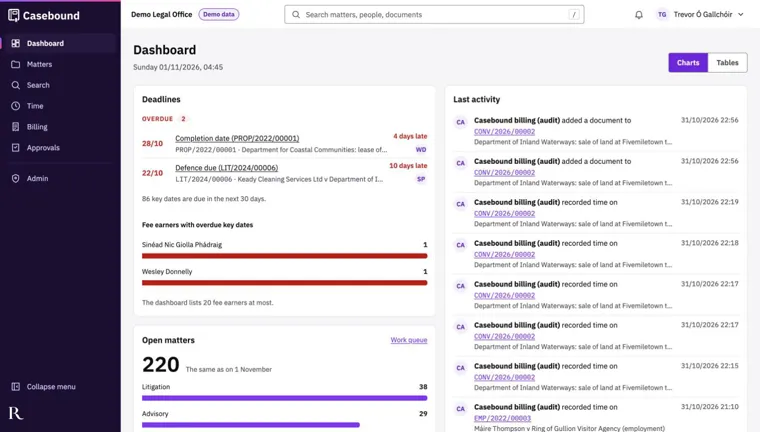
Dashboard Casebound screenshot Tabs switch between the user's own work and the team's. The menu on the left leads to matters, clients, tasks, the calendar, email, time, billing, approvals, workload, reports and records.
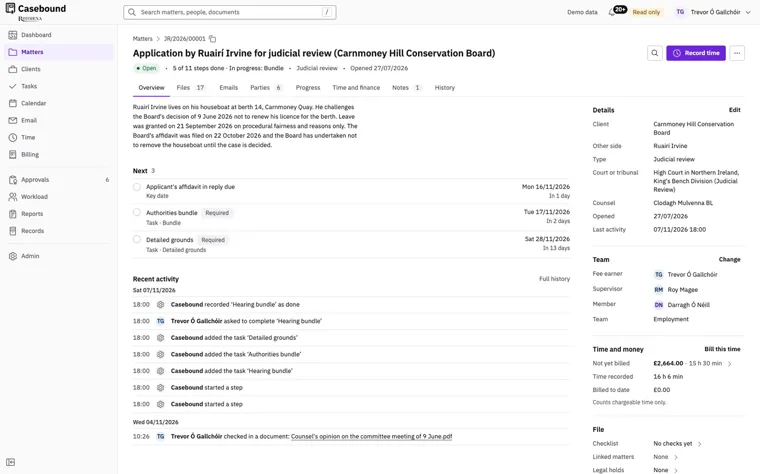
Case file Casebound screenshot Tabs lead to the matter's files, emails, parties, progress, time and finance, notes and history. The Record time button opens a time entry against this matter.
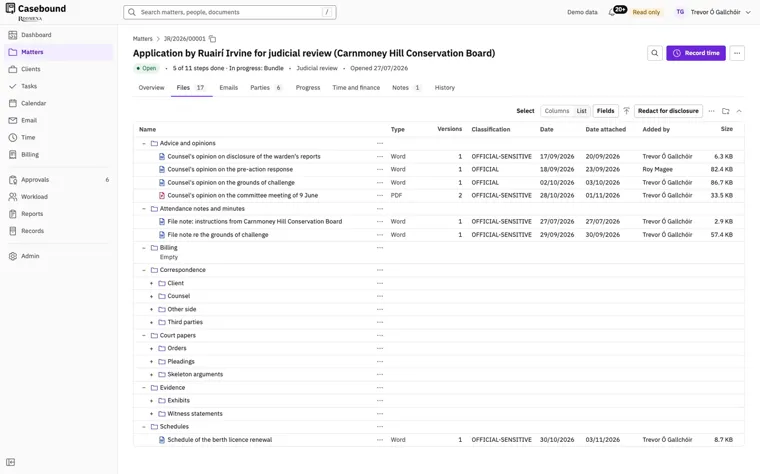
Documents on a matter Casebound screenshot Counsel's opinion on the committee meeting is a PDF in its second version. The other files open here are Word documents in their first version.
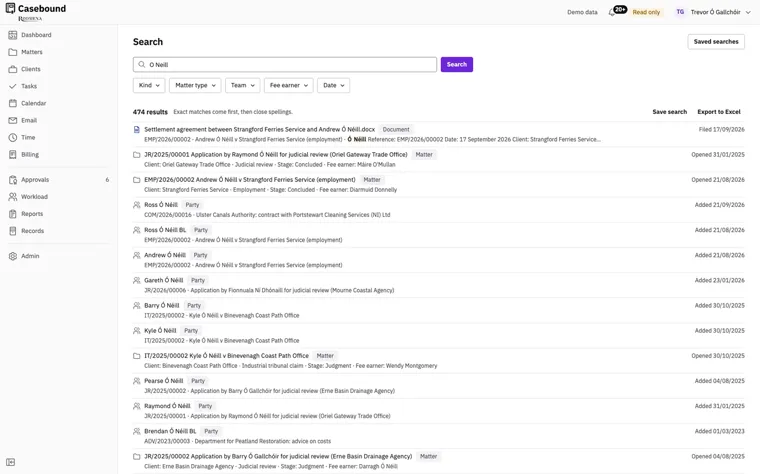
Search Casebound screenshot One search covers the matters, parties, documents, emails, notes, time and bills a user is allowed to see.
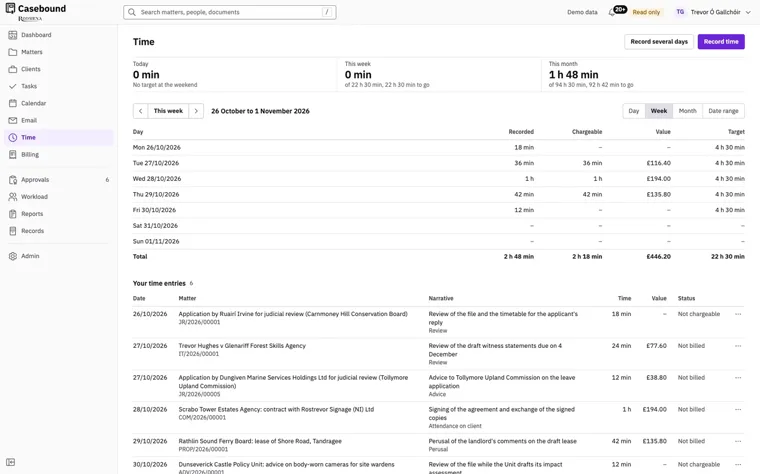
Time Casebound screenshot Record several days enters time for more than one day at once. The view switches between a day, a week, a month and a range of dates.