Fingerpost 全部截图
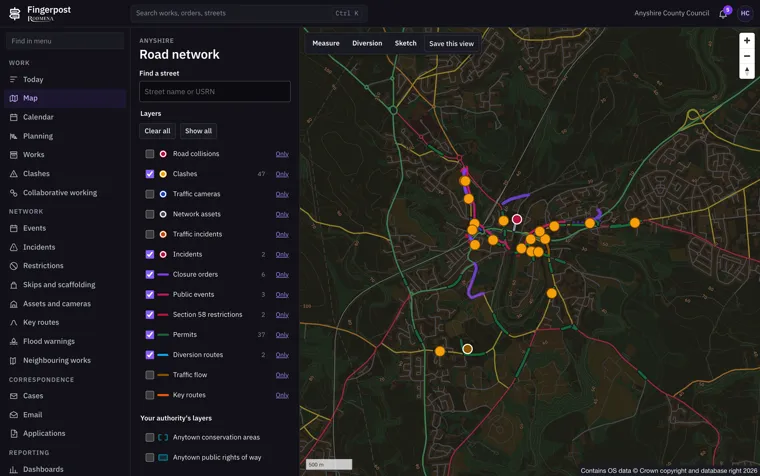
Road network map Fingerpost 截图 The layers are drawn over Ordnance Survey data. Any layer can be switched off or shown on its own. The buttons above the map measure a distance, draw a diversion or a sketch, and save the current view.
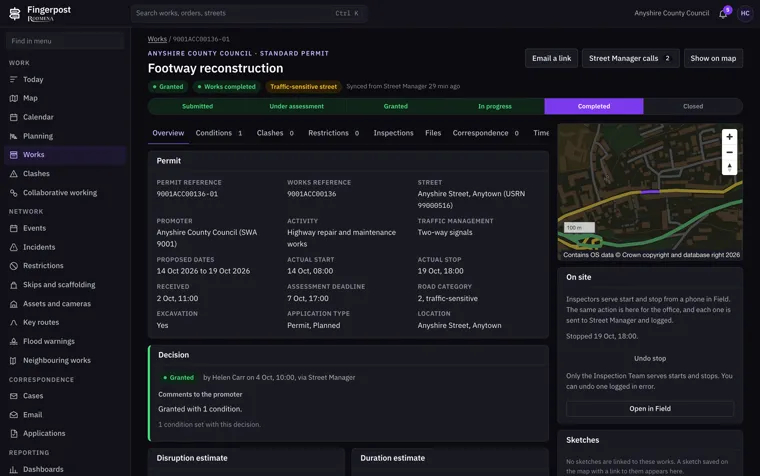
Permit Fingerpost 截图 Tabs above the permit hold its conditions, clashes, restrictions, inspections, files, correspondence and timeline. Inspectors serve works starts and stops from a phone. In the On site panel an officer can undo one that was logged in error, and the change goes to Street Manager.
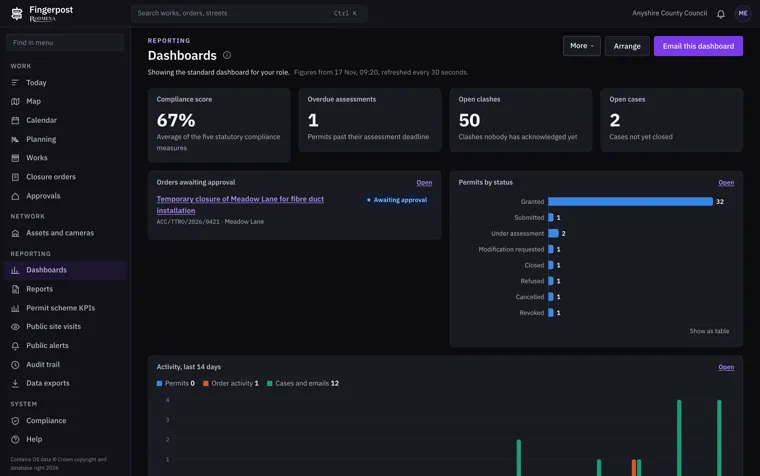
Dashboards Fingerpost 截图 An officer can rearrange the dashboard or email it to someone from the buttons at the top. The permits chart can also be shown as a table.
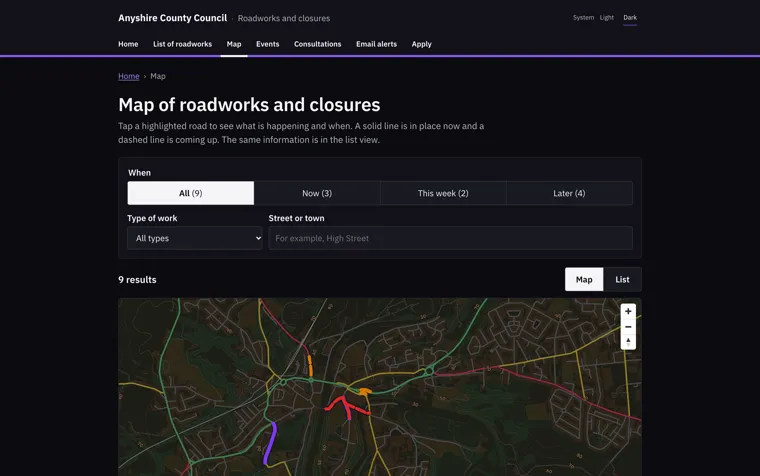
Public roadworks map Fingerpost 截图 Residents can tap a highlighted road to see what is happening there and when, or switch to the list. The site also has pages for events, consultations, email alerts and applications. Visitors can pick a light or dark theme or follow their system setting.
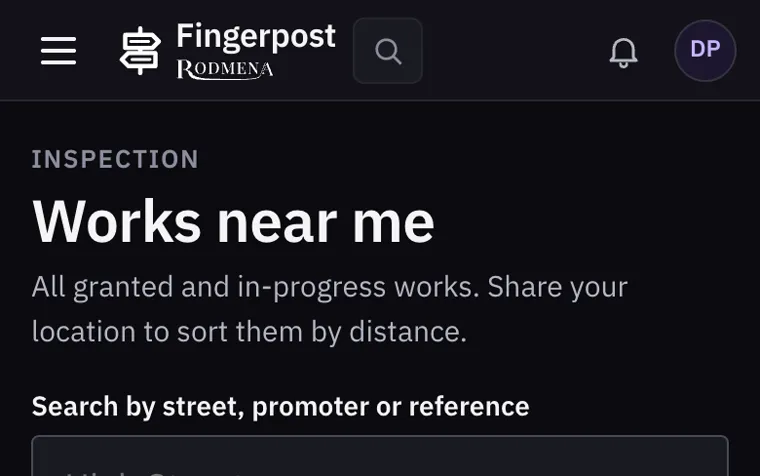
Works near me on a phone 整页 Fingerpost 截图 The bar at the foot of the screen says whether the phone is online and whether anything recorded on it is waiting to be sent.
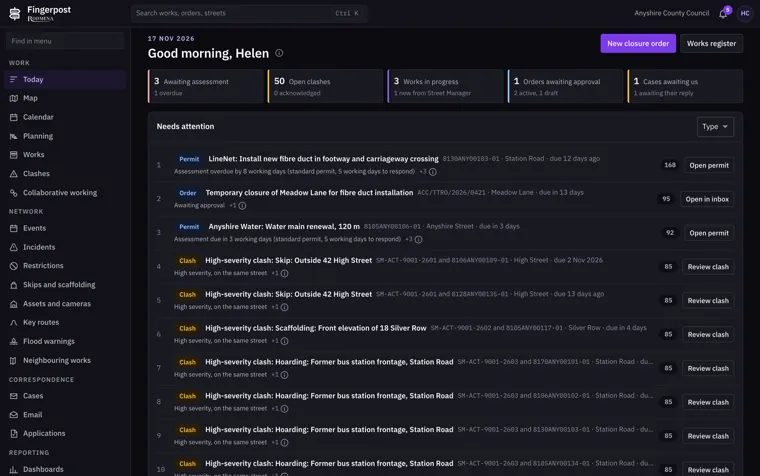
Today Fingerpost 截图 Each row opens the permit, order or clash it names. The buttons at the top start a new closure order or open the works register.
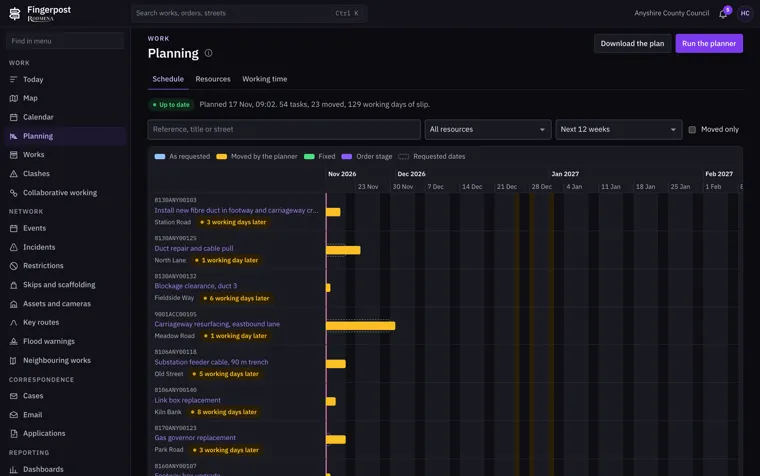
Planning Fingerpost 截图 Tabs switch between the schedule, the resources and the working time. The buttons at the top download the plan or run the planner again.
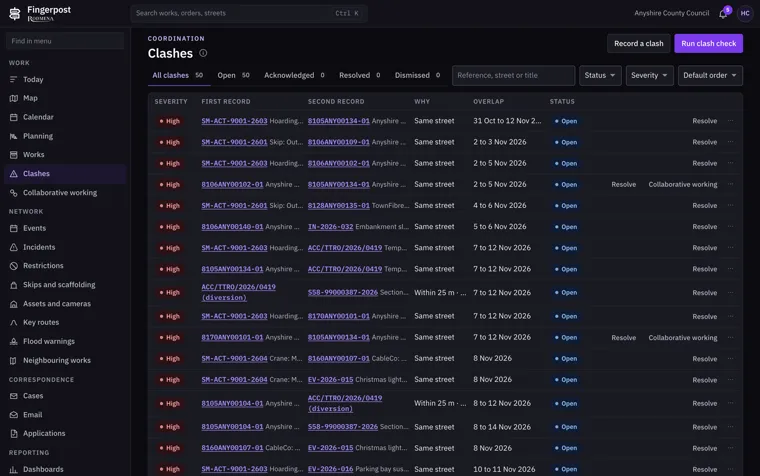
Clashes Fingerpost 截图 The buttons at the top record a clash by hand or run the clash check again. Filters on the right narrow the list by status and severity.
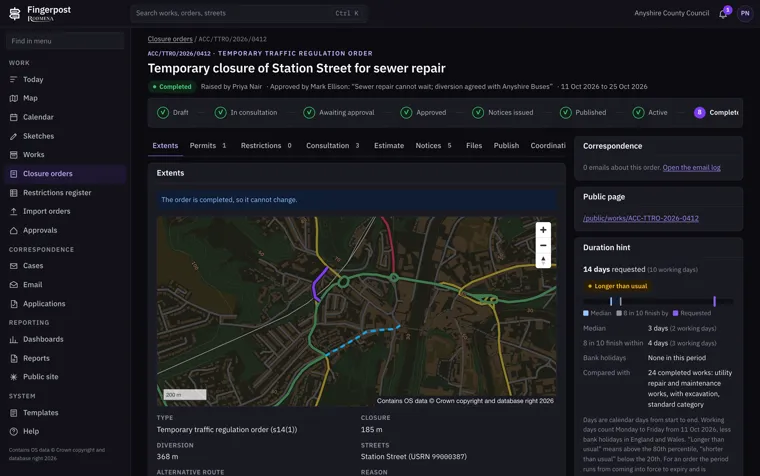
Closure order Fingerpost 截图 Tabs hold the permits, restrictions, consultation, estimate, notices, files and publication for the order. A side panel links its public page and its emails.